How to Enable Auto Refill for Postage
Navigate to Postage Refills
- Log in to the Pitney Bowes developer portal.
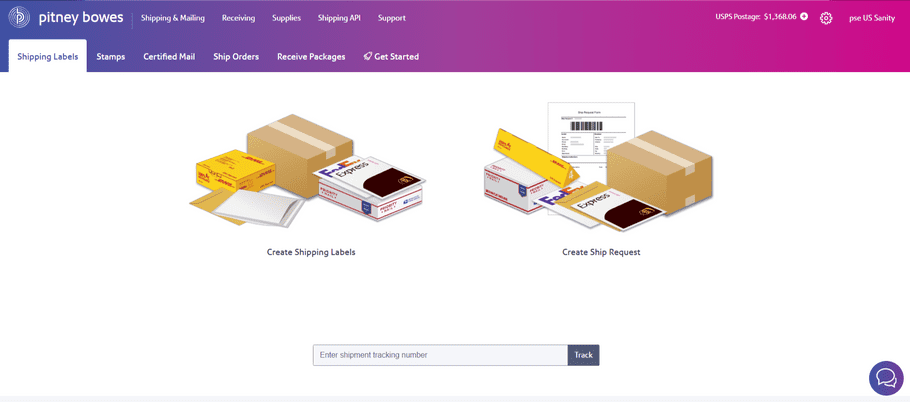
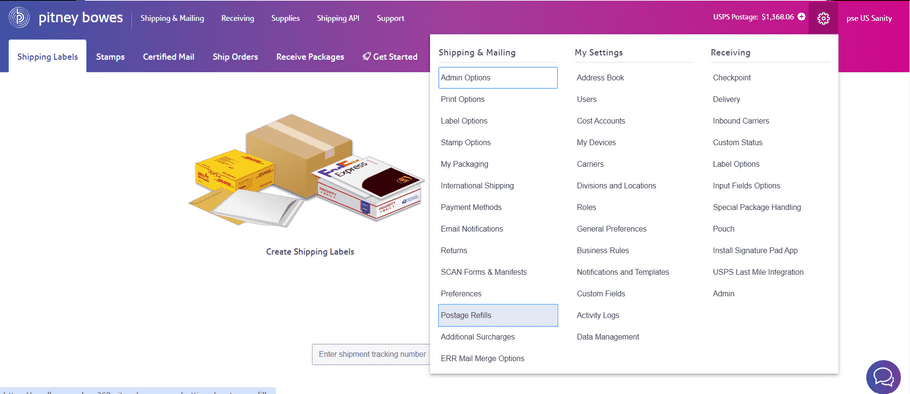
- From the top navigation menu, click the settings icon at the top right corner..
- In the dropdown, under Shipping & Mailing column, select Postage Refills.
Access Auto Refill Settings
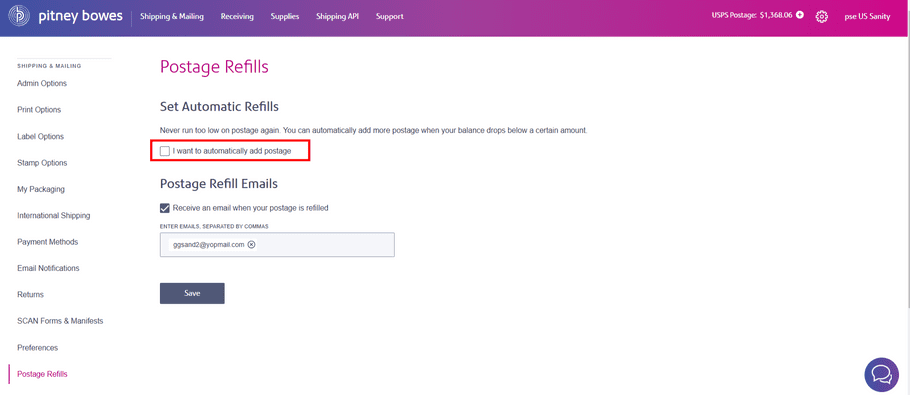
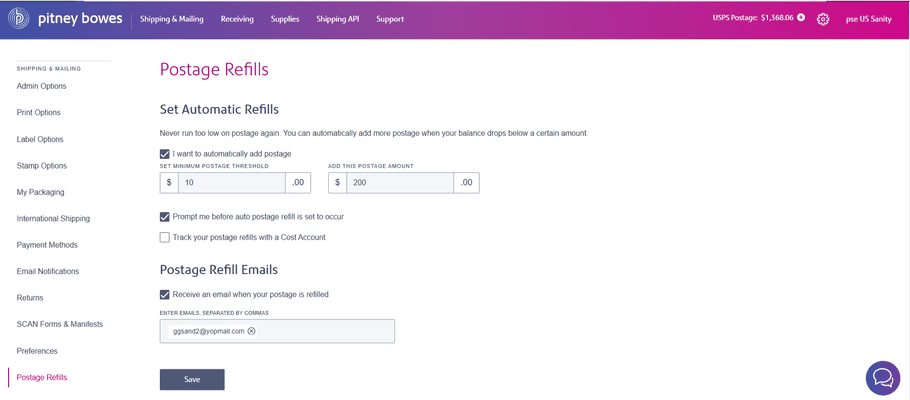
- On the Postage Refills page, select the checkbox labeled: I want to automatically add postage.
Configure Threshold and Refill Amount
- Enter the minimum postage threshold, which triggers the auto-refill. Minimum postage threshold is $10.
- Enter the refill amount to be added when the balance goes below the threshold. Minimum refill amount is $10.
Optional Preferences
- Prompt me before auto postage refill is set to occur
Select the checkbox if you'd like to receive a confirmation before each automatic refill.
- Track your postage refills with a Cost Account
Select the checkbox if you use cost accounts to track expenses.
Add Notification Email
- Under Postage Refill Emails, select the checkbox Receive an email when your postage is refilled to receive refill notifications.
- Enter one or more email addresses (separated by commas).
Save Settings
- Click the Save button at the bottom of the page.
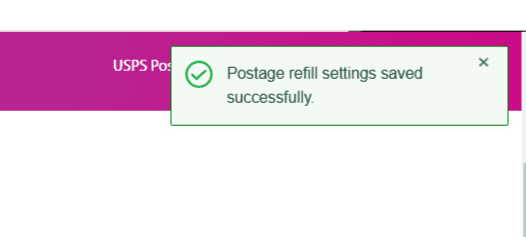
- A success message appears: Postage refill settings saved successfully.